
The Complete Guide to Occupancy Sensors for Modern Offices
Workplace occupancy sensors have become one of the most impactful technologies in modern office management. By detecting how many people are in a space, where they are located, and how they move through a building, these sensors provide the data foundation for smarter real estate decisions, better employee experiences, and significant cost savings.
This guide covers everything workplace leaders need to know: the different sensor technologies available, how to evaluate them, what they cost, how to build a business case, and how to use the data for real-world optimization.
Workplace Occupancy Sensors for Office Buildings: What You Need to Know
Deploying occupancy sensors in an office building is fundamentally different from using them in retail, healthcare, or industrial settings. Office environments combine open-plan desk neighbourhoods, enclosed meeting rooms of varying sizes, collaboration zones, phone booths, and shared amenity spaces — each with distinct detection requirements and data needs.
The most effective workplace building occupancy sensor deployments address three layers simultaneously:
- Desk-level detection — understanding which individual workstations are used, for how long, and when. This data drives desk-to-employee ratio decisions and hybrid seating strategies.
- Room-level occupancy — tracking how meeting rooms, phone booths, and collaboration spaces are used versus how they’re booked. This closes the gap between calendar data and actual utilisation.
- Floor and building-level footfall — understanding how many people enter a building or floor each day, enabling facilities teams to right-size services and real estate teams to benchmark space efficiency.
The best occupancy sensors for offices handle all three layers from a single hardware platform — reducing the complexity of managing multiple sensor types, vendor relationships, and data streams. PointGrab’s CogniPoint optical AI sensor is designed specifically for this: one ceiling-mounted device covers up to 3,000 sq ft and simultaneously reports desk-level status, meeting room headcount, and zone-level analytics — all via a software-agnostic data layer that connects to any building management or workplace platform.
How a Real-Time Office Occupancy Sensor System Works End-to-End
An occupancy sensor system is more than individual devices on a ceiling — it is an integrated stack of hardware, spatial data infrastructure, and software that converts raw presence signals into actionable workplace intelligence.
1. Hardware Layer
Sensors are installed at key points throughout the building: ceiling-mounted units for open areas, door-frame sensors for room-level counting, and desk-level sensors for individual workstation monitoring. Each sensor type (PIR, LiDAR, thermal, millimeter-wave) is chosen based on the accuracy requirements and space type it needs to cover.
2. Data Pipeline
Sensor data is transmitted in real time over the building network — typically via ethernet, Wi-Fi, or a dedicated IoT protocol such as LoRaWAN or Zigbee. A local or cloud-based data aggregation layer normalises signals from different sensor models and vendors into a unified occupancy stream.
3. Analytics & Software Dashboard
The aggregated data feeds into an analytics platform where facility managers can view live occupancy maps, historical utilisation trends, peak-hour patterns, and anomaly alerts. Dashboards are role-based: executives see portfolio-level metrics while facilities teams access room-by-room heatmaps.
4. Integrations
A mature occupancy sensor system connects via open APIs to the rest of the workplace stack: space booking platforms (such as Microsoft 365 or Google Workspace), BMS/BAS for HVAC and lighting control, IWMS and CAFM tools, and HR/badge systems. These integrations are what turn raw occupancy data into automated energy savings, dynamic cleaning schedules, and real-time desk booking.
What Are Occupancy Sensors?
Occupancy sensors are devices that detect human presence in physical spaces. In workplace contexts, they go beyond simple motion detection — modern sensors count people, map positions, and generate the spatial data needed to understand how office space is actually used.
The applications span real estate optimization, meeting room management, HVAC and energy efficiency, cleaning operations, and workplace design. Organizations deploying occupancy sensors typically see payback periods under 12 months, with ongoing annual savings that grow as data accumulates.
Sensor Technology Types
Six primary technologies power today’s occupancy sensors. Each involves trade-offs between accuracy, privacy, cost, and deployment complexity.
|
Technology |
How It Works |
Accuracy |
Privacy |
|
Edge AI |
Optical sensing + on-device AI processing |
High (exact count, sub-feet) |
High (no images leave device) |
|
Camera + Cloud |
Camera images processed in cloud |
High (exact count) |
Low (images transmitted) |
|
Thermal |
Infrared heat detection |
Medium (limited resolution & 6 people cap) |
High (heat only) |
|
Radar |
Radio wave reflection |
Low (0/1/2/3+ cap) |
High (no images) |
|
PIR |
Passive infrared motion |
Low (binary: yes/no) |
High (heat only) |
|
Wi-Fi |
Device signal triangulation |
Medium (6ft radius) |
Medium (tracks devices) |
Read our detailed technology comparison →
Choosing the right sensor type is one of the most consequential decisions in any deployment. Our deep-dive on PIR vs thermal vs optical vs edge AI sensors breaks down accuracy, privacy, cost, and use-case fit for each technology.
For a technical deep-dive on how on-device AI processes occupancy data without transmitting images, see our guide to edge AI occupancy sensing.
Occupancy Sensor Use Cases: Offices, Desks & Meeting Rooms
Space Utilization & Real Estate Optimization
The highest-value application. Occupancy data reveals actual desk utilization, employee-to-seat ratios, meeting rooms and floor-level demand — enabling evidence-based decisions about lease renewals, floor consolidation, and portfolio right-sizing. Enterprise organizations routinely save $1-60M through sensor-informed real estate strategy. Read: Employee-to-Seat Ratio Guide → | ROI of Occupancy Sensors →
Meeting Room Management
Ghost bookings (reserved but unused rooms) waste 30-40% of meeting room capacity in typical offices. Sensors enable auto-release of empty rooms and reveal the WASH Index — Wasted Available Seat Hours from oversized room bookings. Read: Ghost Bookings Solutions → | WASH Index →
Workplace Design
Heatmaps and utilization data replace surveys and assumptions in space planning. In today’s hybrid work model data consistently shows over-investment in large meeting rooms and under-invest in quiet spaces and small huddle rooms. Read: Data-Driven Design → | Quiet Space Deficit → | Huddle Room Design →
Building Automation & Energy
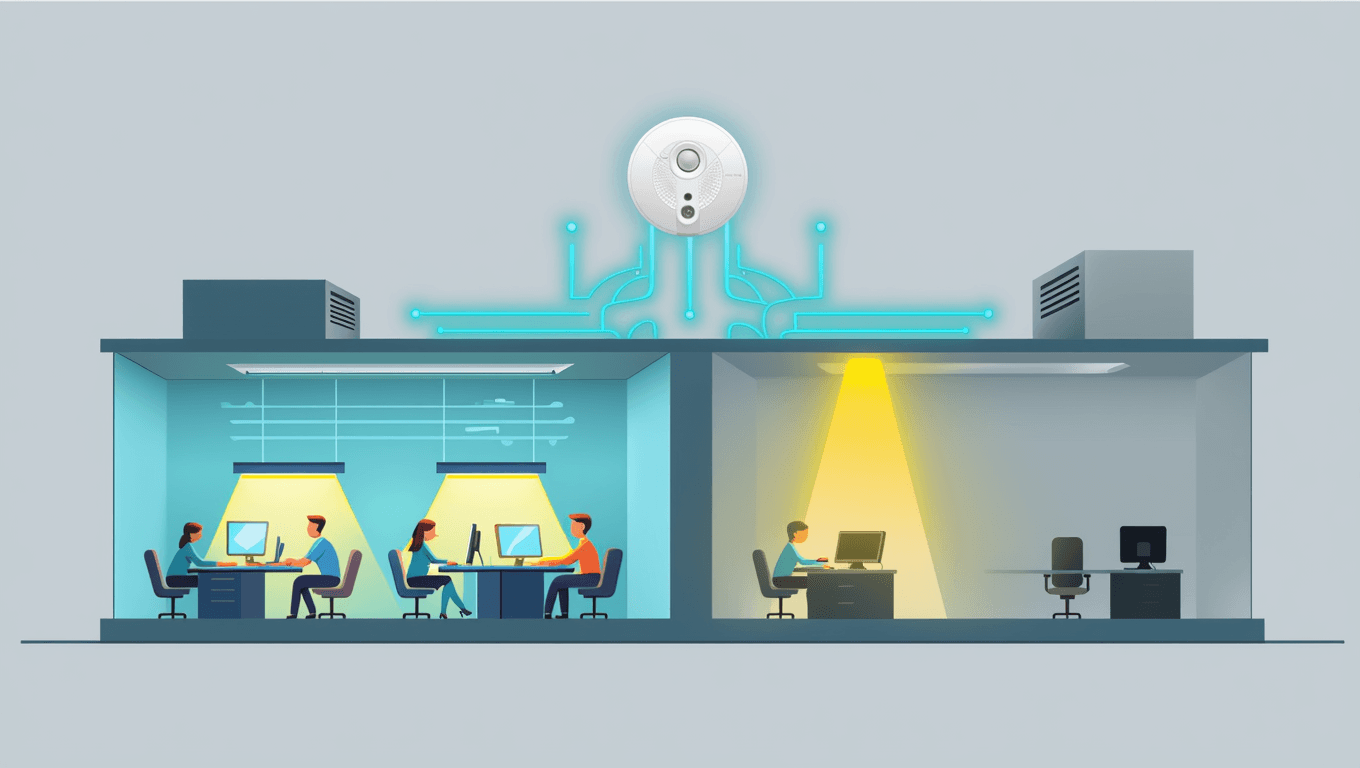
Real-time occupancy data enables demand-driven HVAC and lighting, typically reducing energy costs 20-30%. Sensors connected to BMS provide the zone-level data needed for proportional response. Read: Sensors for HVAC → | AI in Facility Management →
Cleaning Optimization
Demand-based cleaning aligned to actual occupancy reduces costs 20-30% while improving service in high-traffic areas. Read: Demand-Based Cleaning →
Maintenance Prioritization
Understanding the spaces demand on the floor allows for better maintenance management. Dark sports on the heatmap indicate spaces and equipment people avoid, indication of a maintenance issue.
For teams optimizing smaller collaboration spaces specifically, our guide to huddle room design covers sizing, technology, and sensor-driven optimization for 2–6 person rooms.
For a practical guide to applying occupancy data at the portfolio level, see our post on data-driven workplace design — covering how real estate and facilities teams use occupancy intelligence to optimize space allocation.
For organizations dealing with a shortage of quiet, focused work areas, our analysis of the focus zone deficit explains how occupancy data reveals the gap and guides better space design.
How to Evaluate Occupancy Sensors
When comparing vendors, evaluate across these dimensions:
|
Criterion |
What to Ask |
Why It Matters |
|
Counting Accuracy |
Can it count exact headcount, or caps at 3+? |
Space decisions require exact data |
|
Spatial Resolution |
Sub-meter positioning or zone-level only? |
Desk-level data enables granular optimization |
|
Privacy Architecture |
Where does processing happen? Images stored? |
GDPR compliance and employees trust |
|
Data Portability |
MQTT/REST APIs or locked to vendor platform? |
Avoid vendor lock-in, enable multi-system use |
|
Deployment Options |
Wired only or wired + wireless? |
Retrofits require wireless flexibility |
|
Coverage Area |
How many effective SqFt per sensor in office settings? |
Affects total cost and deployment complexity |
|
Integration Ecosystem |
Works with your existing BMS, IWMS, Booking system and tools? |
Maximizes value across all use cases |
Organizations deploying at scale should also review our workplace sensing infrastructure guide, which covers the five-layer architecture, data flow, and API integration patterns in depth.
The Software-Agnostic Approach
Most occupancy sensor vendors bundle hardware with proprietary analytics. This creates vendor lock-in and limits how you can use your own data. A software-agnostic approach — where sensors deliver raw data via open protocols — lets you route occupancy intelligence to multiple platforms of choice: analytics, BMS, booking systems, or your enterprise data warehouse. Read: Why Software-Agnostic Matters →
Privacy & Compliance
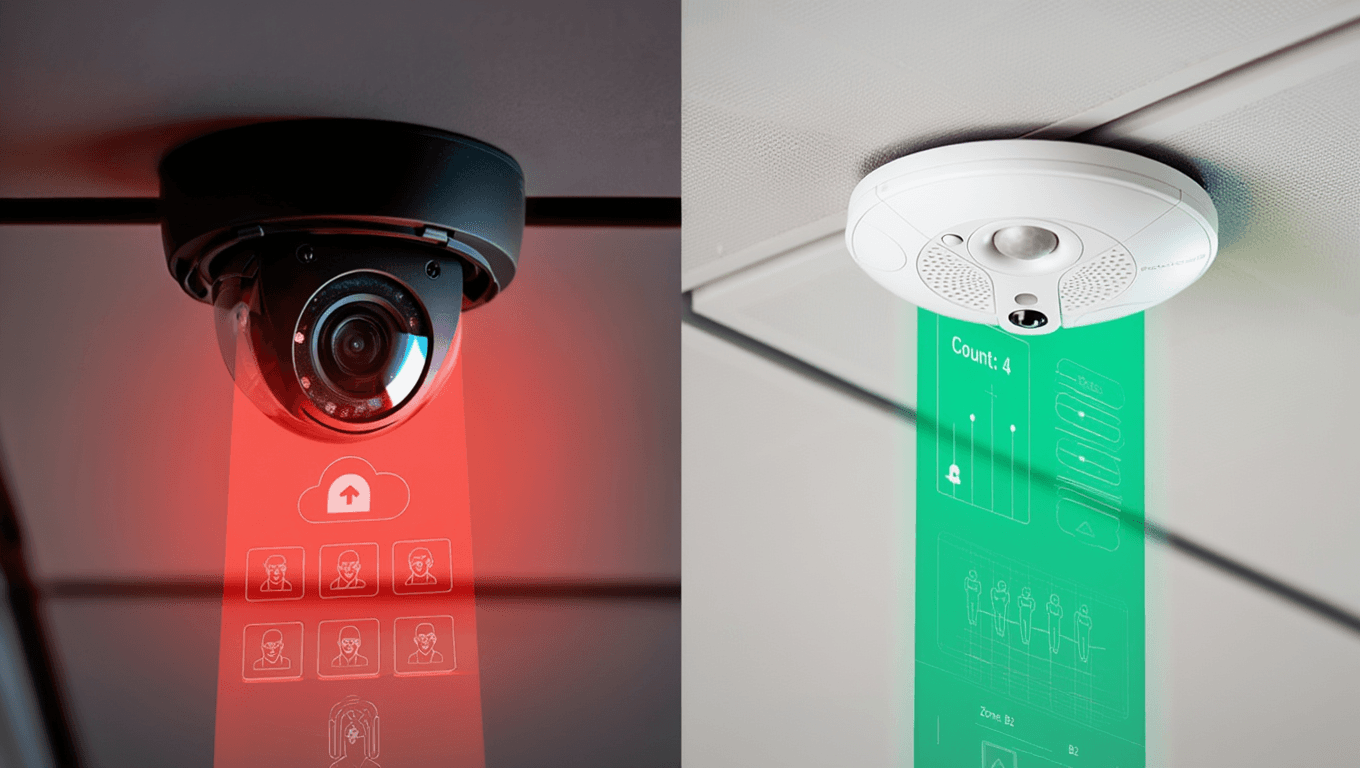
Occupancy sensor technology choices have real privacy implications, especially under GDPR and similar regulations. Edge AI sensors that process on-device and output only anonymous data provide the strongest privacy architecture — combining optical accuracy with genuine anonymity. [Read: Occupancy Sensors & GDPR →]
For a full breakdown of GDPR compliance requirements and technology choices, see Occupancy Sensors & GDPR Privacy: A Guide for European Workplaces.
Building the Business Case
The ROI of occupancy sensors comes from five value drivers: real estate optimization (largest), energy savings, cleaning optimization, meeting room efficiency, and employee experience. Typical payback periods are 3-6 months with 3-year ROI of 500-1,500%. Read: ROI Guide →
The Best Occupancy Sensors for the Workplace: What to Look For
When evaluating an occupancy management system for your organisation, the hardware spec sheet is only the starting point. The following criteria separate best-in-class platforms from point solutions that create data silos.
Accuracy at the Space Type That Matters to You
A sensor that performs well in open-plan areas may struggle with small meeting rooms or phone booths. Require vendor proof-of-concept data for the specific space types in your portfolio before committing to a platform.
Open API and Integration Depth
A proprietary closed system locks you into a single vendor’s analytics and pricing. Prioritise platforms with documented REST or MQTT APIs that connect to your existing BMS, space booking software, and IWMS without requiring middleware.
Real-Time vs. Aggregated Data
Real-time data (sub-30-second latency) is essential for live desk booking and HVAC automation. Aggregated daily reports are sufficient for space planning and lease decisions. Clarify which use cases are priorities and match them to the system’s data refresh rate.
Privacy and Compliance
People-counting sensors that aggregate anonymised data are low-risk. Cameras or systems that identify individuals require GDPR or CCPA compliance frameworks, clear data retention policies, and employee communications. Confirm the vendor’s data processing agreements and where data is stored.
Scalability and Deployment Model
Assess the per-seat or per-sensor cost at your full estate size, not just the pilot. Understand whether the system supports phased rollout, remote firmware updates, and centralised management across multiple buildings and geographies.
Return-to-Office and Hybrid Work
RTO mandates have increased demand for objective attendance and utilization data. Badge data shows building entry; occupancy sensors show how space is actually used. The 15-25% gap between these data sets is where optimization opportunities hide. Read: What RTO Data Shows →
Getting Started
The most successful occupancy sensor deployments follow a phased approach: start with a pilot on 1-2 floors, measure for 4-6 weeks, validate the data against known patterns, then expand. PointGrab’s edge AI sensors and open API architecture make this straightforward — you get accurate data from day one, integrated with whatever tools your team already uses or consider.
Choosing Workplace Occupancy Sensor Hardware
When selecting workplace occupancy sensor hardware, the key decision is between wired PoE sensors (reliable, suited for new builds and major refits) and wireless mesh sensors (faster to deploy, ideal for retrofitting existing spaces without cable runs). Beyond connectivity, evaluate coverage area per unit, whether the sensor requires network-side AI processing or runs fully on-device (edge AI), and what data outputs the hardware supports — most enterprise deployments require MQTT or REST APIs to feed BMS, IWMS, and analytics platforms. PointGrab offers both form factors: the wired CogniPoint PG-1 and the wireless CogniPoint 2 Flex.
For a technical deep-dive into how sensor data flows through your building’s infrastructure — including connectivity protocols, integration architecture, and data pipelines — see The Complete Guide to Workplace Sensing Infrastructure.
If you’re working with an AV integrator or systems integrator on this deployment, see How AV Integrators Can Expand Beyond Meeting Rooms with Occupancy Sensors.
If you’re evaluating whether dedicated sensors or Wi-Fi-based tracking is the right fit for your workplace, see Wi-Fi Tracking vs Dedicated Sensors: What Workplace Teams Need to Know.
Ready to explore occupancy sensing for your workplace? PointGrab delivers edge AI accuracy, enterprise security, and complete data freedom. Request a demo at www.pointgrab.com.
For AV integration firms looking to add occupancy sensing to their portfolio, see how AV integrators are adding occupancy sensors as a natural extension of their meeting room work.
To narrow down your choice, explore our wired vs wireless deployment guide, and once you’ve decided on sensors, use our occupancy sensor ROI framework to build the business case.
Frequently Asked Questions
What is an occupancy sensor?
An occupancy sensor is a device that detects the presence of people in a physical space, providing real-time usage data for facility and workplace management.
What are the main types of occupancy sensors?
Main types include passive infrared (PIR), computer vision sensors, microwave radar, thermal imaging and Wi-Fi sensing.
How accurate are modern occupancy sensors?
High-quality sensors achieve 90%+ accuracy in detecting presence, though accuracy varies by sensor type, environment, and installation quality.
What are occupancy sensors used for?
Applications include energy management, space utilization analysis, workplace planning, meeting room management, cleaning optimization, and building insights.
How do occupancy sensors improve sustainability?
By enabling demand-responsive HVAC, lighting, and resource allocation, sensors reduce energy consumption and environmental impact significantly.
Can occupancy sensors integrate with building management systems?
Yes, modern sensors such as PointGrab CogniPoint integrate with BMS platforms via standard protocols like MQTT, REST APIs, and open data formats.
What privacy concerns exist with occupancy sensing?
Privacy concerns vary by technology; vision-based sensors raise more concerns than presence-only sensors, but proper design can address privacy.
How much do occupancy sensors cost?
Hardware costs range from $100-500 per sensor, with total deployment costs depending on scale, integration, and installation complexity.
What ROI can organizations expect from occupancy sensors?
Typical ROI ranges from 6-18 months through energy savings, real estate optimization, and operational efficiency improvements.
How do you choose the right occupancy sensor?
Consider application, accuracy needs, privacy requirements, integration capabilities, cost, and maintenance when selecting sensor types.
What’s the future of occupancy sensing technology?
Future trends include AI-powered analytics, improved privacy technologies, lower costs, better integration, and expanded applications beyond facilities.
How do occupancy sensors support hybrid work strategies?
Sensors provide data to optimize office space allocations for hybrid teams, validate seat ratios, and ensure good employee experiences by design and innovative amenities when they do come in.
What are the main occupancy sensor use cases in offices?
The most common occupancy sensor use cases are: space utilization and real estate optimization (identifying underused floors and desk neighborhoods to reduce real estate footprint), meeting room management (detecting ghost bookings and actual room usage to right-size inventory), energy efficiency (triggering HVAC and lighting only when spaces are occupied), cleaning optimization (routing service to actually-used areas), and hybrid workforce planning (providing objective attendance data to validate RTO policies and benchmark seat ratios).
What workplace occupancy sensor hardware options are available?
Workplace occupancy sensor hardware falls into five technology categories: passive infrared (PIR) for binary presence in small spaces, thermal imaging for anonymous headcount, radar for accurate people counting without visual data, optical AI (camera-based with on-device processing) for the richest data including desk-level granularity and zone analytics, and Wi-Fi/BLE-based systems that track devices rather than people. For most enterprise workplace deployments, optical AI sensors deliver the best combination of accuracy, granularity, and integration flexibility — while remaining fully privacy-compliant through on-device processing.
What are the best occupancy sensors for office buildings?
The best occupancy sensors for office buildings are optical AI sensors that can handle the multi-layer detection needs of a modern workplace — desk-level presence, meeting room headcount, and floor-level footfall — from a single device. PointGrab’s CogniPoint covers up to 500 sq ft per unit, delivers sub-foot positional accuracy, and outputs data via MQTT or REST APIs to any connected platform, making it the leading choice for enterprise office deployments. For simpler requirements such as room-level presence only, PIR or radar sensors offer a lower-cost entry point. When evaluating workplace building occupancy sensors, prioritise coverage per unit, data granularity, privacy compliance (edge processing, no image storage), and integration flexibility.
What does an office occupancy sensor system include?
A complete office occupancy sensor system has three components: (1) hardware sensors installed on ceilings or walls throughout the office — typically one per desk zone, meeting room, or open-plan area; (2) a network layer to transmit sensor data, either via PoE (Power over Ethernet), Wi-Fi, or a wireless mesh protocol such as Thread; and (3) a software layer — either a cloud management platform or direct API integration with an existing IWMS, BMS, or workplace app — that aggregates, visualises, and acts on the occupancy data. PointGrab’s system is designed to be software-agnostic: the hardware feeds raw occupancy data to any platform the customer already uses, avoiding vendor lock-in.
What are workplace occupancy sensors and how are they different from standard presence sensors?
Workplace occupancy sensors are purpose-built for office environments and deliver significantly richer data than standard presence sensors. A standard presence sensor (typically PIR-based) answers only “is someone here?” — useful for lighting or HVAC control but insufficient for workplace analytics. Workplace occupancy sensors go further: they count people accurately, identify which specific desks or zones are occupied, track movement patterns over time, and feed this data into workplace management systems for space planning, lease decision-making, and hybrid work policy design. The distinction matters when budgeting: organisations that deploy only presence sensors often find they lack the data needed for real estate decisions and have to upgrade later.
What are the main use cases for workplace occupancy sensors?
Workplace occupancy sensors support six primary use cases in modern offices. Space utilisation analysis identifies which desks, rooms, and zones are actually used versus booked or assigned, enabling data-driven decisions about floor layouts and lease renewals. Meeting room management detects ghost bookings and actual headcount so room inventory can be right-sized. Energy optimisation triggers HVAC and lighting only when spaces are occupied, typically cutting HVAC energy by 20–30%. Cleaning scheduling routes services to areas that have actually been used rather than on a fixed daily rotation. Hybrid work planning provides objective attendance data to validate return-to-office policies, set hotdesking ratios, and benchmark utilisation by team. Desk and neighbourhood assignment uses real usage patterns to assign desks dynamically and design neighbourhoods that match how different teams actually work.
What are the most common occupancy sensor use cases in commercial buildings?
In commercial buildings, the most common occupancy sensor use cases fall into three categories: operational efficiency (energy management, cleaning optimisation, security monitoring), workplace strategy (space utilisation reporting, lease right-sizing, hybrid work policy design), and tenant experience (desk booking accuracy, meeting room availability, wayfinding). Enterprise deployments typically combine multiple use cases on a single sensor platform rather than deploying separate systems — a single ceiling-mounted optical AI sensor can serve all three categories simultaneously by outputting granular data via open APIs to the relevant building management, workplace, and HR systems.