How to Design the Best Huddle Room for Your Hybrid Workplace
The shift to hybrid work has created an unexpected design challenge: the demand for small, informal meeting spaces has surged while traditional large conference rooms sit half-empty. Enter the huddle room — a compact, technology-enabled space designed for quick team check-ins, impromptu brainstorms, and hybrid video calls with remote participants.
Getting huddle room design right matters more than it might seem. Done well, these spaces become the most-used and highest-satisfaction rooms in the workplace. Done poorly, they’re acoustic nightmares that frustrate rather than facilitate.
What Is a Huddle Room?
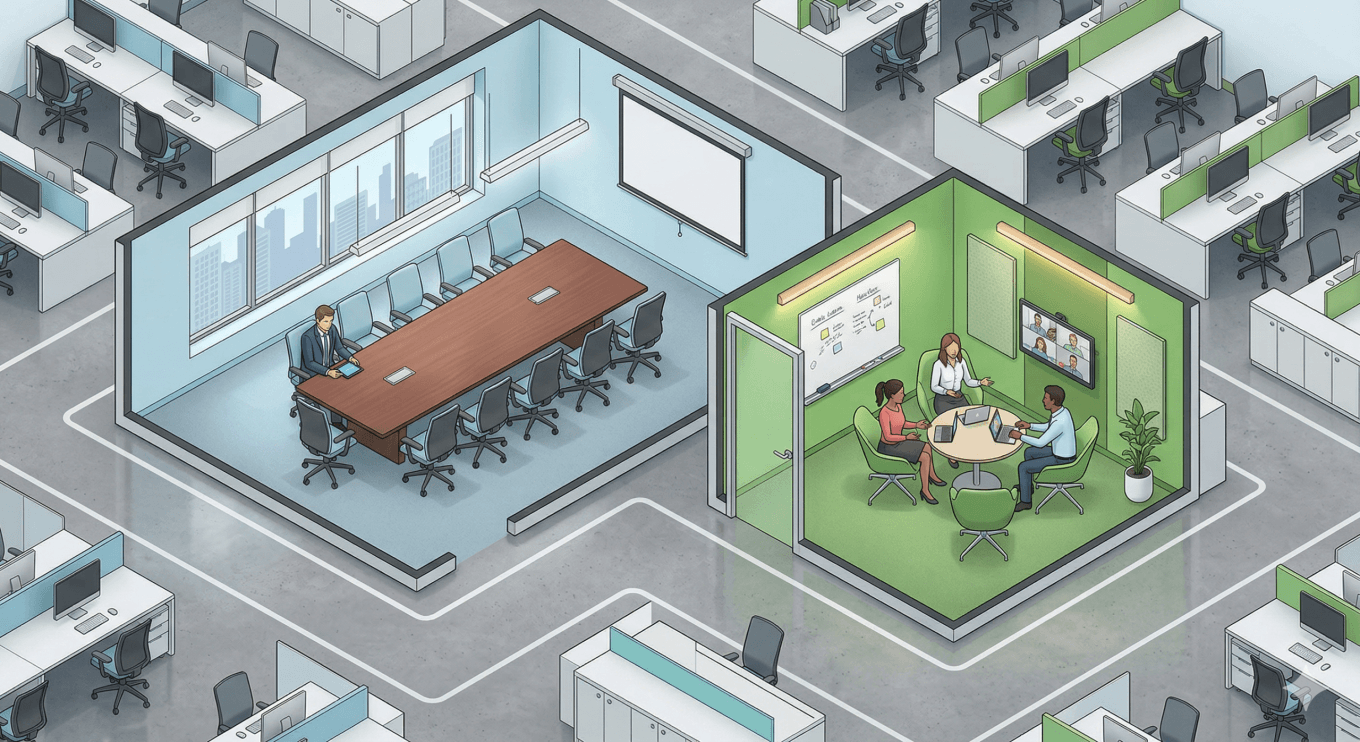
A huddle room is a small meeting space typically designed for 2–6 people. Unlike formal conference rooms with long tables and complex AV setups, huddle rooms are informal, lightly furnished, and optimized for quick collaboration sessions lasting 15–30 minutes.
Think of them as the office equivalent of pulling a few chairs together — but with proper acoustics, a display for screen sharing, and video conferencing capability for remote participants.
Why Huddle Rooms Are Essential in the Hybrid Office
The math of hybrid work drives huddle room demand:
- Meeting sizes have shrunk. With some team members remote, in-person meeting groups are typically smaller — 2-4 people rather than 8-12. Booking a 12-person conference room for a 3-person hybrid standup wastes space.
- Spontaneous collaboration needs a home. Open-plan areas are too noisy for confidential or focused discussions. Huddle rooms provide a quick retreat without the formality of booking a conference room.
- Video call quality matters. Remote participants need good audio, proper lighting, and a camera angle that works. Huddle rooms provide a controlled environment that open desks cannot.
- Privacy for sensitive conversations. HR discussions, salary reviews, personal calls — these need a private space, and employees shouldn’t have to book a 10-person boardroom to make a private phone call.
Huddle Room Design Best Practices
Size and capacity: Target 6–8 square meters (65–85 sq ft) for 2–4 person rooms, and 10–15 square meters for up to 6 people. Err on the side of more, smaller rooms rather than fewer, larger ones.
Acoustics: This is the single most important design element. Invest in acoustic panels, sound-absorbing ceiling tiles, and proper door seals. A huddle room with thin walls and no acoustic treatment creates more frustration than value — conversations leak into adjacent spaces, and video call audio picks up external noise.
Technology: Keep it simple. A display (40–55 inches), a single video conferencing device with camera/mic/speaker integrated, and wireless screen sharing. Avoid complex AV setups that require training. The goal is walk-in-and-start within 30 seconds.
Furniture: Casual, not corporate. A small table (or no table), comfortable chairs, and a whiteboard. Standing-height tables work well for short meetings and discourage sessions from running long.
Visibility: Glass walls or sidelights let people see whether a room is in use without opening the door. A connected occupancy display reduces interruptions and “is this room free?” friction.
Booking: Huddle rooms work best with a lightweight booking approach — either no booking required (first-come, first-served with a maximum time limit) or quick-book via a tablet on the door. Over-formalizing the booking process defeats the purpose of an informal space.
How Many Huddle Rooms Do You Need?
The right ratio depends on your work patterns, but a common starting point is 1 huddle room per 15–20 employees present on a given day. For a floor with 100 people on a typical day, plan for 5–7 huddle rooms.
The problem with this formula? It’s a guess until you have data. This is where occupancy sensors become essential for huddle room strategy.

Using Occupancy Sensors to Optimize Huddle Rooms
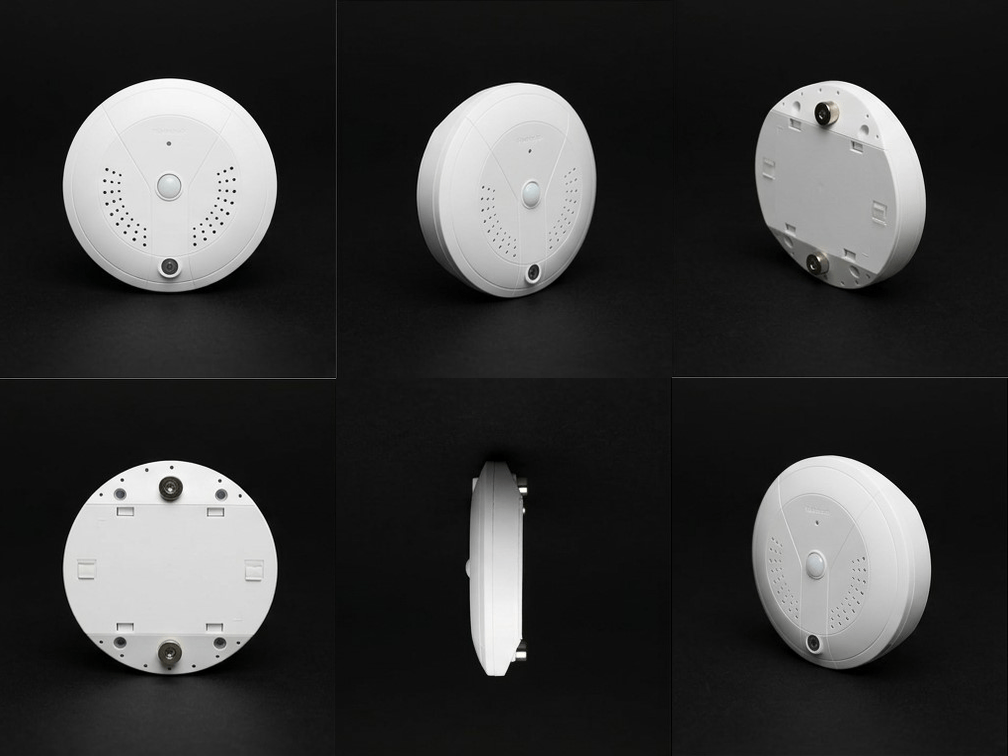
Ceiling-mounted occupancy sensors like PointGrab’s CogniPoint provide the data needed to better plan and manage rooms:
- Utilization tracking: Are your huddle rooms consistently full, or do some sit empty while others are at 100%? Sensor data reveals which rooms are in demand and which are underperforming.
- Peak time analysis: When are huddle rooms busiest? Data might show that demand spikes at 10am and 2pm, suggesting that scheduling flexibility or staggered meeting cultures could help.
- Actual vs. booked usage: If huddle rooms are booked 80% of the time but only physically occupied 50% of the time, the problem isn’t supply, it’s no-shows and ghost bookings.
- Auto-release: When sensors detect that a booked huddle room has been empty for 10 minutes, the booking system can automatically release it – making the space available for someone who actually needs it.
- Sudden changes: Data is showing sudden drop in use of a specific huddle room that was popular until now, likely some equipment is broken or other physical issue.
The Huddle Room as a Hybrid Office Essential
In a hybrid office where large conference rooms are increasingly oversized for actual meeting needs, huddle rooms fill the gap. They’re cheaper to build, faster to equip, and better matched to how teams actually work today.
The key is building the right number, in the right locations, with the right technology — and then using occupancy data to continuously adjust. Because in a workplace that changes every quarter as hybrid patterns evolve, static design assumptions expire quickly. Data-driven design doesn’t.
Ready to learn more? Contact PointGrab for a consultation.
For the broader framework behind these decisions, our guide to data-driven workplace design shows how occupancy intelligence drives space strategy at the portfolio level.
For teams also rethinking their quiet and focus spaces, our analysis of the focus zone deficit covers why most floorplans underestimate the demand for heads-down space.
Ready to right-size your meeting room mix? PointGrab occupancy data shows exactly how your rooms are used — revealing where huddle spaces will have the biggest impact.
Also address the room-level data that matters most — see how ghost bookings drain capacity, and how quiet focus zones complement collaborative huddle spaces.
Related Articles
- The Complete Guide to Occupancy Sensors for Offices
- Meeting Room Abuse: How the WASH Index Exposes Wasted Space
- Workplace Design Best Practices for the Hybrid Era
- Ghost Bookings: Data-Driven Solutions for Meeting Room No-Shows
- How AV Integrators Can Expand Beyond Meeting Rooms
- The Quiet Space Deficit: Why Your Office Needs More Focus Zones
Frequently Asked Questions
What is a huddle room?
A huddle room is a small, informal meeting space designed for quick collaboration sessions, typically seating 2-6 people.
How do occupancy sensors improve huddle room design?
Sensors reveal actual usage patterns, helping designers create right-sized spaces and informing decisions about placement, amenities, and technology.
What’s the ideal size for a huddle room?
Most huddle rooms range from 50-150 square feet, but optimal size depends on team sizes and meeting types, informed by occupancy data.
How does technology enhance huddle rooms?
Video conferencing capabilities, wireless presentation, occupancy sensors, and booking integration make huddle rooms more functional and attractive.
Why are huddle rooms becoming more common?
As organizations embrace flexible work, huddle rooms provide informal collaboration spaces that are more cost-effective than large conference rooms.
How do you measure huddle room effectiveness?
Occupancy rates over time, user satisfaction surveys, and booking frequency if exist are key metrics, along with integration rates with collaboration tools.
What’s a good huddle room to employee ratio?
Most organizations find a ratio of 1 huddle room per 8-12 employees works well, though this varies by team collaboration needs and working styles.
Why do I need Occupancy Sensor in a huddle room?
With real time and historical usage data you can allocate the right floor space, fix malfunctions and improve employee experience to maximize the investment